In today’s world, video content plays a crucial role in online visibility. Every day we watch countless videos on YouTube, Facebook, Instagram, Threads, TikTok, X, and other short-form platforms. For businesses too — whether showcasing products and services on a website, managing social media, or running online ads — videos help attract attention and make information easier to understand and engage with. A tool that can quickly and intuitively generate videos is extremely valuable for companies of all kinds, including exporters, domestic sellers, B2B, and B2C businesses.
This highly rated online media creation platform, FlexClip, is definitely worth introducing. You can visit FlexClip.com to start using it.
Table of Contents
FlexClip offers a multiple language interface that feels very friendly and is easy to learn. Best of all, you can use it for free, and all AI features are available in the trial. The paid plans are also relatively affordable:
- Premium Annual Plan: $11.99/month (approx. TWD 384/month)
- Business Annual Plan: $19.99/month (approx. TWD 640/month)
Compared with outsourcing video production (which can cost thousands or tens of thousands dollars per video), this pricing is very cost-effective. The free plan allows you to download videos in 720p HD resolution with a FlexClip watermark. If you decide to upgrade later, you can unlock Full HD 1080p and even ultra-high-definition 4K output. Here’s a 30% discount code you can use: Cynthia30. But before that, let’s take a closer look at what makes FlexClip so powerful and easy to use!

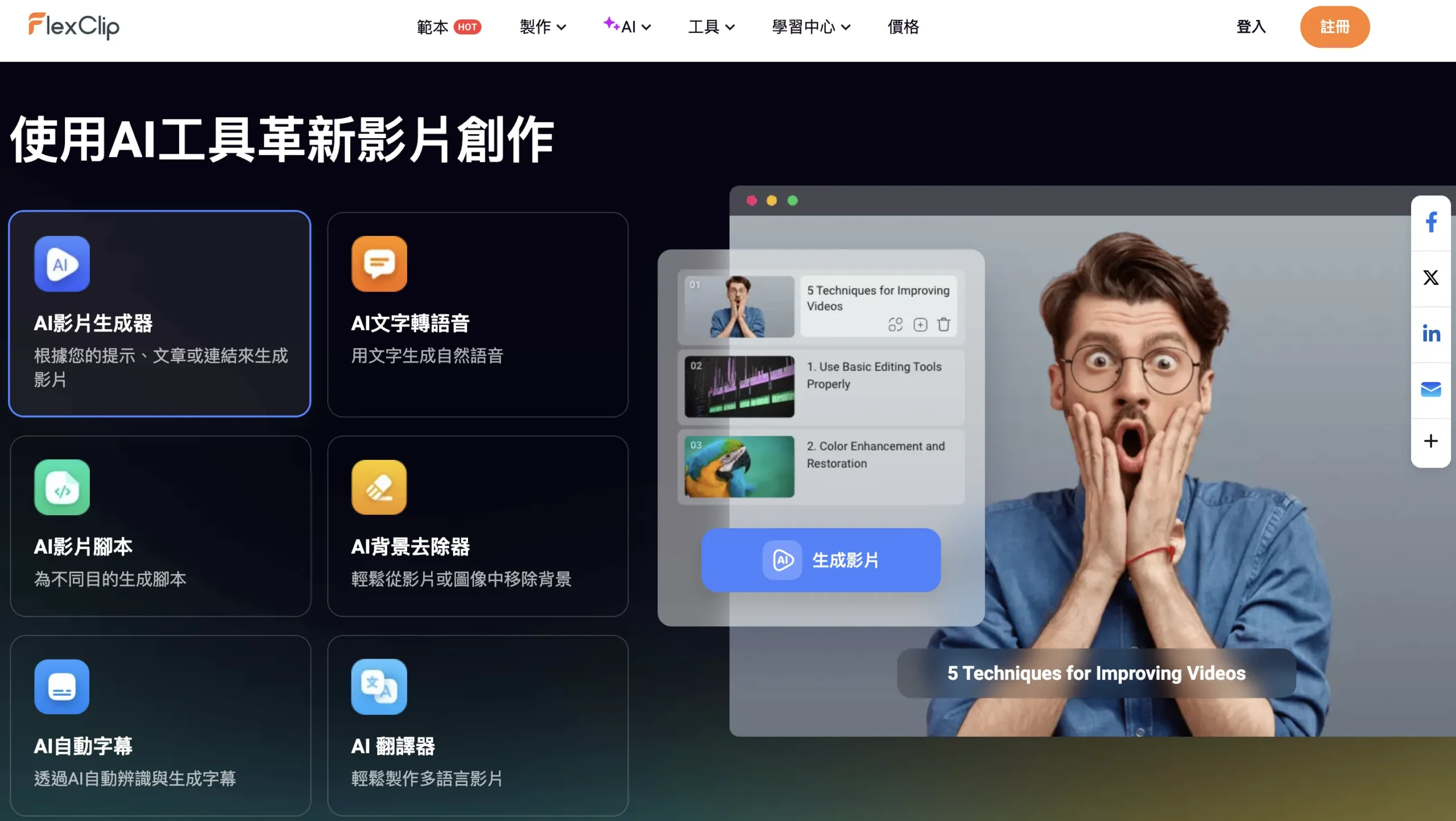
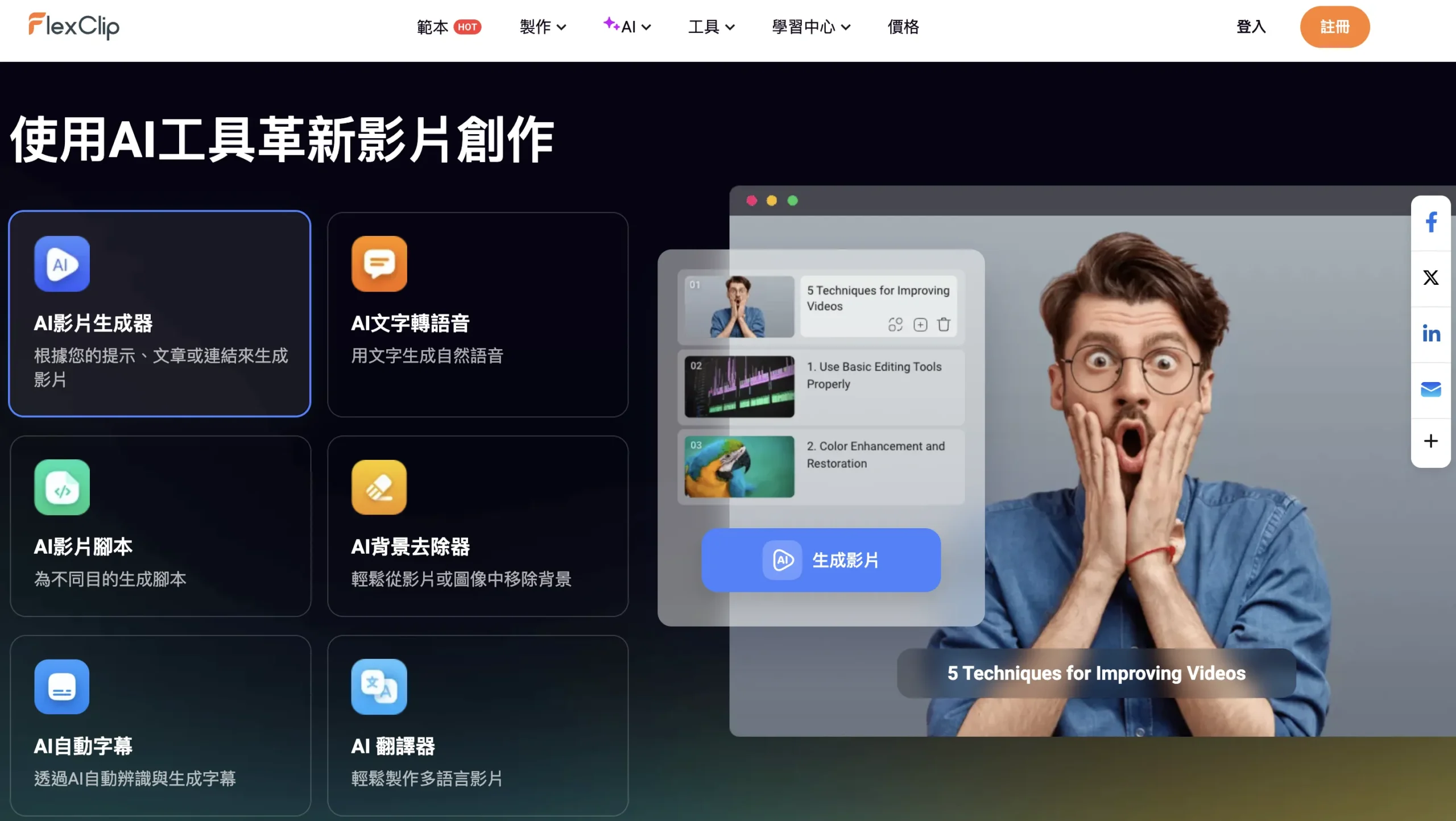
In addition to offering a full set of video editing tools, FlexClip also comes with a wide range of convenient AI features, making it extremely cost-effective. Below are the Top 5 most practical features—let’s take a closer look at each one.
1. AI Video Generator (Text-to-Video)
If you just want to generate a video with one click, try the AI video generator. You simply enter a short prompt — for example, “ways to achieve financial freedom” — click “Generate,” then “Export,” and a complete video will be created for you. The tool automatically writes the script, selects visuals, adds subtitles, voiceovers, and music. If you already have a script, you can also upload it directly for the AI to turn it into a video.
2. AI Auto Subtitles + Video Editing
This feature is especially useful for educational videos. With AI auto-generated subtitles, adding captions becomes much faster and accuracy is generally high. For example, if your source video is in English and you want Traditional Chinese captions, you select the original language and target language, click once, and the Traditional Chinese subtitles are added automatically. You can also choose from preset subtitle styles and edit individual lines if needed. You can download subtitle files separately (SRT or TXT) for platforms like YouTube or generate subtitles in multiple languages simultaneously.
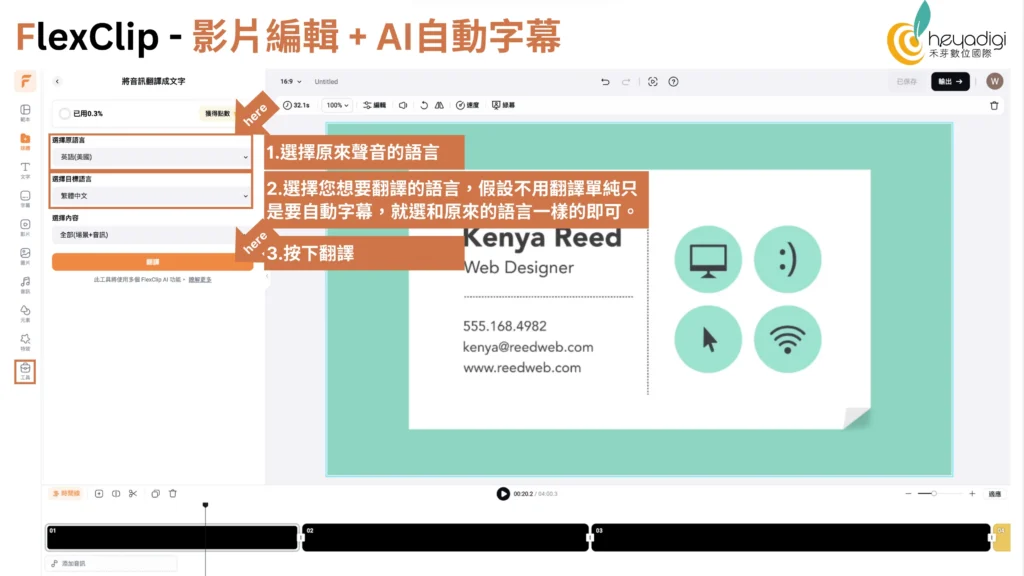

Intuitive Video Editing
FlexClip’s timeline editing tools include add, split, trim, copy, and delete. You can apply green screen effects, adjust speed, flip horizontally or vertically, rotate, adjust audio volume, add filters, and more. There are also preset elements and effects you can choose from. FlexClip allows you to easily adjust the video aspect ratio for different social platforms (e.g., 16:9, 1:1, 9:16, etc.). The interface is generally considered even more intuitive than some competitors like CapCut.

3. AI Voiceover (Text-to-Speech)
The AI voiceover tool can be used in two ways: 1. Add voice to a video with no original audio. 2. Replace original audio with new spoken narration. For example, you can replace an English audio track with Chinese narration or vice versa.
FlexClip’s AI TTS tool supports over 400 voices and 140 languages, including English, French, German, Hindi, Spanish, and Chinese.
In the Chinese language options, there are Taiwan-accent voices (two female, one male) and Cantonese voices as well. You can also adjust speed and pitch to suit your scenario.

4. AI Music Generator (New Feature)
FlexClip recently added an AI music generator, making it a more complete creative platform. This includes AI song creation, AI accompaniment music, and AI sound effects. You can upload reference audio or vocals, select musical styles, and even input your own lyrics or prompts to generate new music. Chinese songs are supported too. In testing, basic jingles, background music, and sound effects were very usable, though full song richness and completeness may still improve compared to specialized music AI tools.

5. AI Image Editing Tools (New Features)
In addition to video features, FlexClip provides a set of AI image editing tools, including:
- AI background removal
- AI object removal
- AI image expansion
- AI quality enhancement
- AI old photo restoration
- AI photo colorization
- AI outfit change (e.g., professional portrait attire)
- AI face swap
- AI art-style transformation
- AI image-to-3D animation
While many of these tools can be found elsewhere, having them integrated in one platform means you can handle both image and video editing in one place.

Overall, FlexClip is highly intuitive to use and offers a Traditional Chinese interface, making it very easy to get started. If you need to create product showcases or company promotional videos, FlexClip provides a wide variety of ready-made templates. By simply replacing images or clips, you can quickly produce videos or short-form content suitable for Google GDN digital ads as well as various social media platforms.
FlexClip also makes it easy to switch between different video aspect ratios, including 16:9, 1:1, 9:16, 4:5, and 12:9, with simple cropping options that save both time and effort.
We recommend visiting FlexClip.com to try it out for free. If you find it useful and would like to upgrade to Full HD 1080p or even Ultra HD 4K output, you can enjoy a 30% discount by using the code: Cynthia30.
If you’re interested in creating AI spokesperson videos, you may also find this article helpful: “Leveraging AI to Generate Virtual Endorsers for Marketing Campaigns.”